

About
What this plugin is
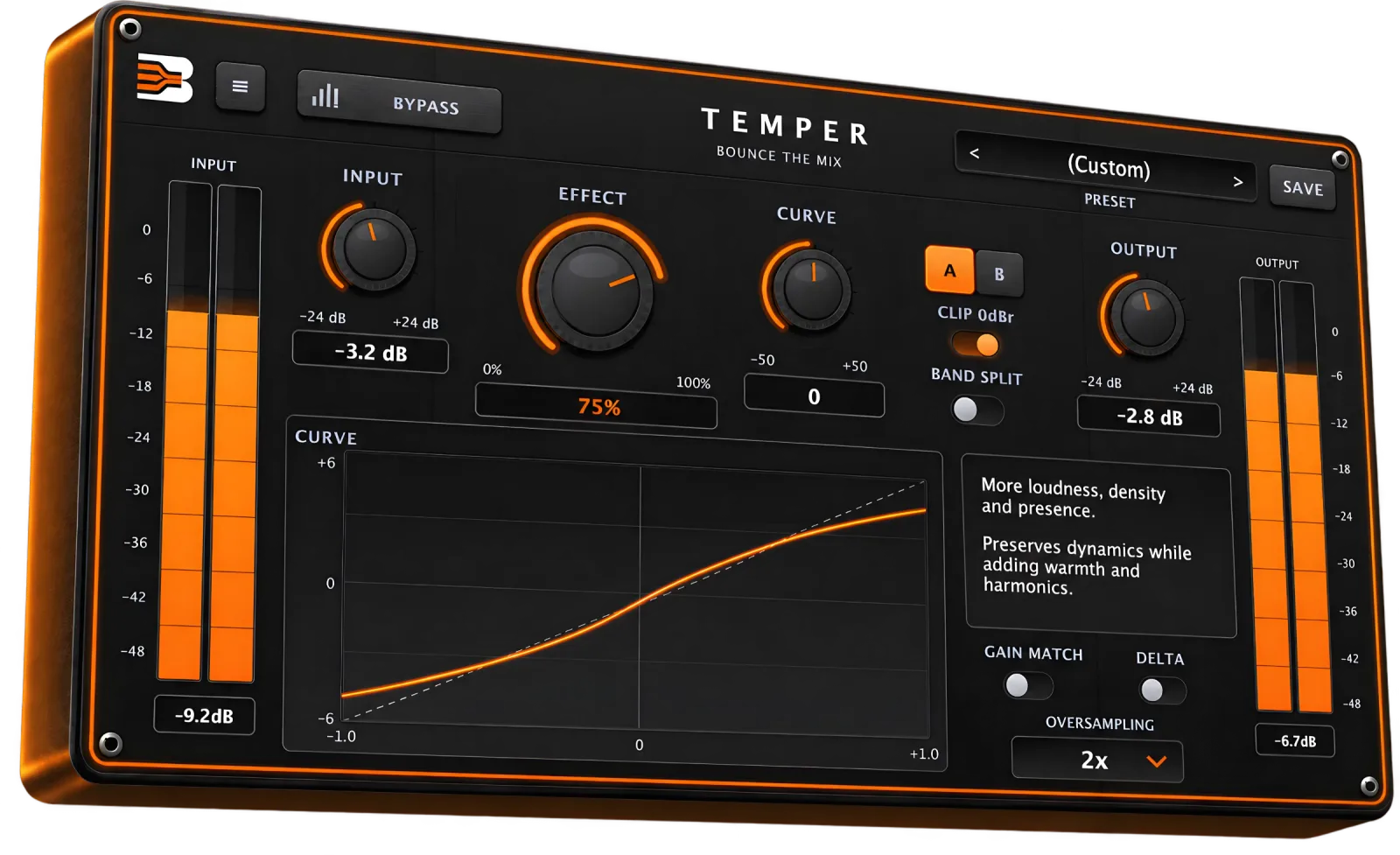
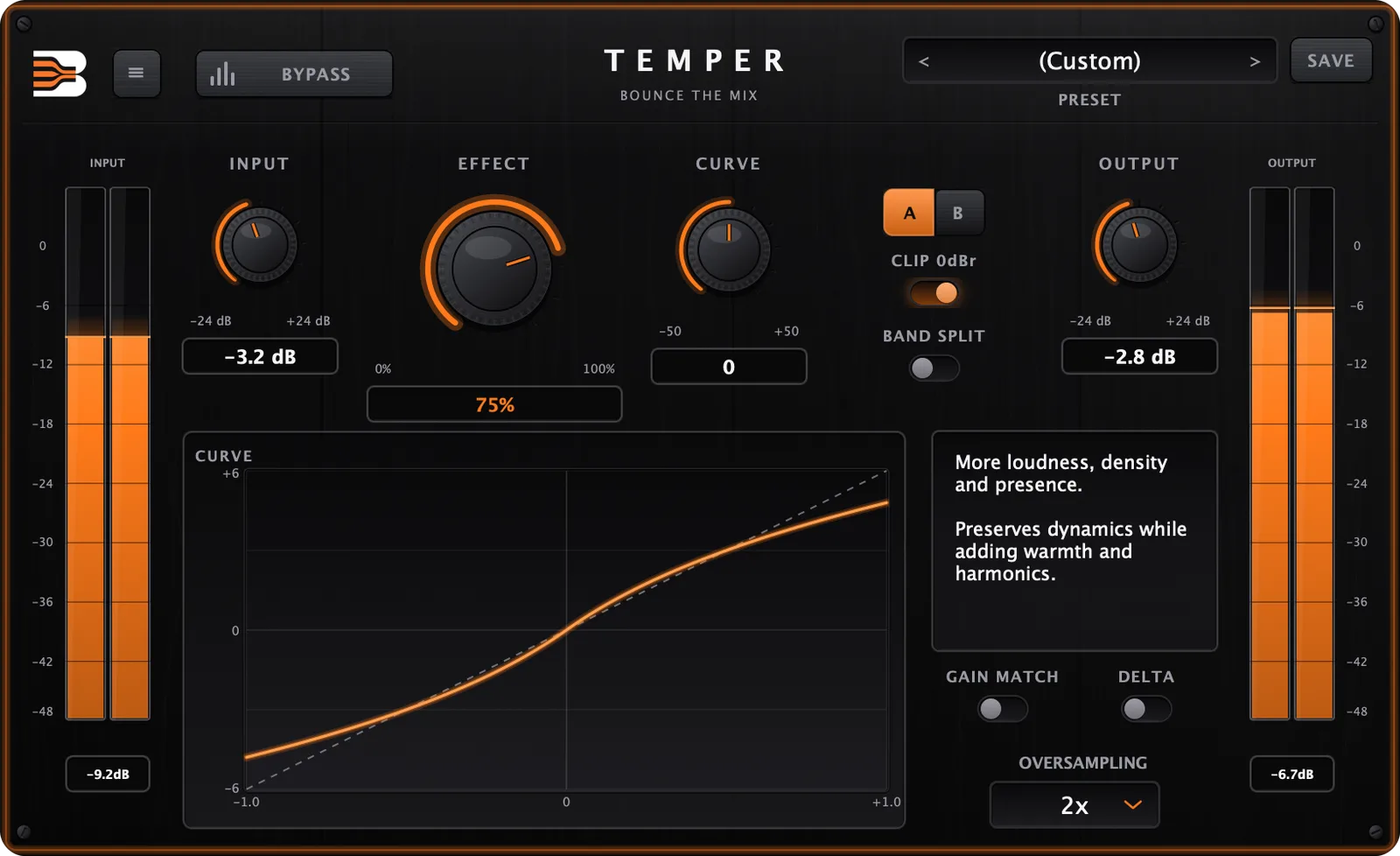
Temper is a saturation and loudness-enhancement plugin for mixing and mastering. It adds density, warmth and presence and raises the perceived loudness while preserving your dynamics. Set how much with Effect, choose the character with Curve (from subtle harmonic colour to dense, aggressive fatness), work on the whole signal or split it into three bands, and use oversampling up to 16x to keep aliasing under control. Delta lets you hear only what Temper adds, Gain Match keeps level comparisons honest, and A/B compare with 11 factory presets get you there fast.
Features
What makes it different
Effect sets how much of the processed signal you hear, from 0 to 100%. Curve sets its character: subtle and harmonic on the left, more loudness, density and presence in the middle, dense and aggressive on the right.
Direct or Band Split
Process the whole signal in Direct mode, or switch to Band Split to saturate three bands separately, with crossovers at 300 Hz and 3 kHz, for a tighter and more controlled result on full mixes.
Oversampling up to 16x
Choose 1x, 2x, 4x, 8x or 16x oversampling to keep aliasing under control on heavy settings. The latency it adds is reported to your DAW, so your tracks stay aligned.
Hear exactly what it does
Delta plays only what Temper adds. Gain Match compensates the level so you judge the sound, not the volume. A/B compare, Clip 0dBr and Bypass round out the workflow.
See what is happening
A live transfer-curve display shows the shape of the saturation as you move Effect and Curve, and input and output meters keep your levels in view.
Start from a preset
Eleven factory presets (Default, Subtle, Warm, Vocal, Drums, Bass, Mix Bus, Master, Aggressive, Overdrive, Extreme), and you can save your own.
Interface
One interface. Total control.
Inside the engine
Core modules
Saturation
The nonlinear stage that adds density and harmonics, shaped by Effect and Curve.
Band Split
Three bands with crossovers at 300 Hz and 3 kHz, each saturated separately.
Oversampling
1x to 16x, to keep aliasing under control on heavy settings.
Clip 0dBr
An optional ceiling that contains peaks at full scale.
Gain Match
Automatically trims the output so the processed and dry signal have similar loudness.
Delta
Listen to only what Temper is adding to the signal.
Use cases
Where it fits your workflow
Mix bus
Glue and thicken a mix with a touch of density, without flattening the dynamics.
Drums
Add weight and punch to a drum bus, or push it harder for an aggressive sound.
Vocals
Bring a vocal forward with warmth and presence.
Bass
Firm up the low end, and use Band Split to keep the highs untouched.
Mastering
Gain a little loudness and warmth with the Master preset and Gain Match on.
Get Temper
Instant download. Lifetime license.
Plugin
€27
- Instant digital delivery after purchase
- Secure checkout, one-time payment
- Free updates for the life of your licence
Contents
What's inside
VST3 + AU (macOS), VST3 (Windows)
Formats
Direct and 3-band Band Split
Modes
1x, 2x, 4x, 8x, 16x
Oversampling
11 factory + your own
Presets
Delta, Gain Match, A/B, Clip 0dBr
Tools
Reviews
No reviews yet.
Questions
Which formats and systems does it support?+
macOS 11+ (Apple silicon and Intel): VST3 and Audio Unit. Windows 10+ (64-bit): VST3.
How many computers can I use it on?+
One licence can be activated on up to 3 devices at the same time. You can deactivate a device from the plugin to move your licence.
Is it a subscription?+
No. It is a one-time purchase with a perpetual licence.
Can I try it first?+
Yes. You can start a free trial from the product page (it needs an account).
Does it add latency?+
Oversampling adds a small amount of latency, which Temper reports to your DAW so plugin delay compensation keeps everything aligned.
How do I update?+
When a new version is available, the plugin tells you inside the interface. Download the new installer from your account: it replaces the old version automatically and keeps your presets and activation.
Compatibility
System requirements
- Plugin formats
- VST3, Audio Unit (macOS)
- Operating system
- macOS 11+ (Apple silicon and Intel), Windows 10+ (64-bit)
- DAWs
- Any DAW that supports VST3 or Audio Unit
Instant download
Every file is yours the moment the payment clears.
Free lifetime updates
One payment, every future update to this plugin is included, for as long as you own the licence.
Secure checkout
Card payment handled by Stripe. One-time payment, no subscription.