

Temper
Más ruido. Más carácter. Tu dinámica intacta.
Acerca de
En qué consiste este complemento
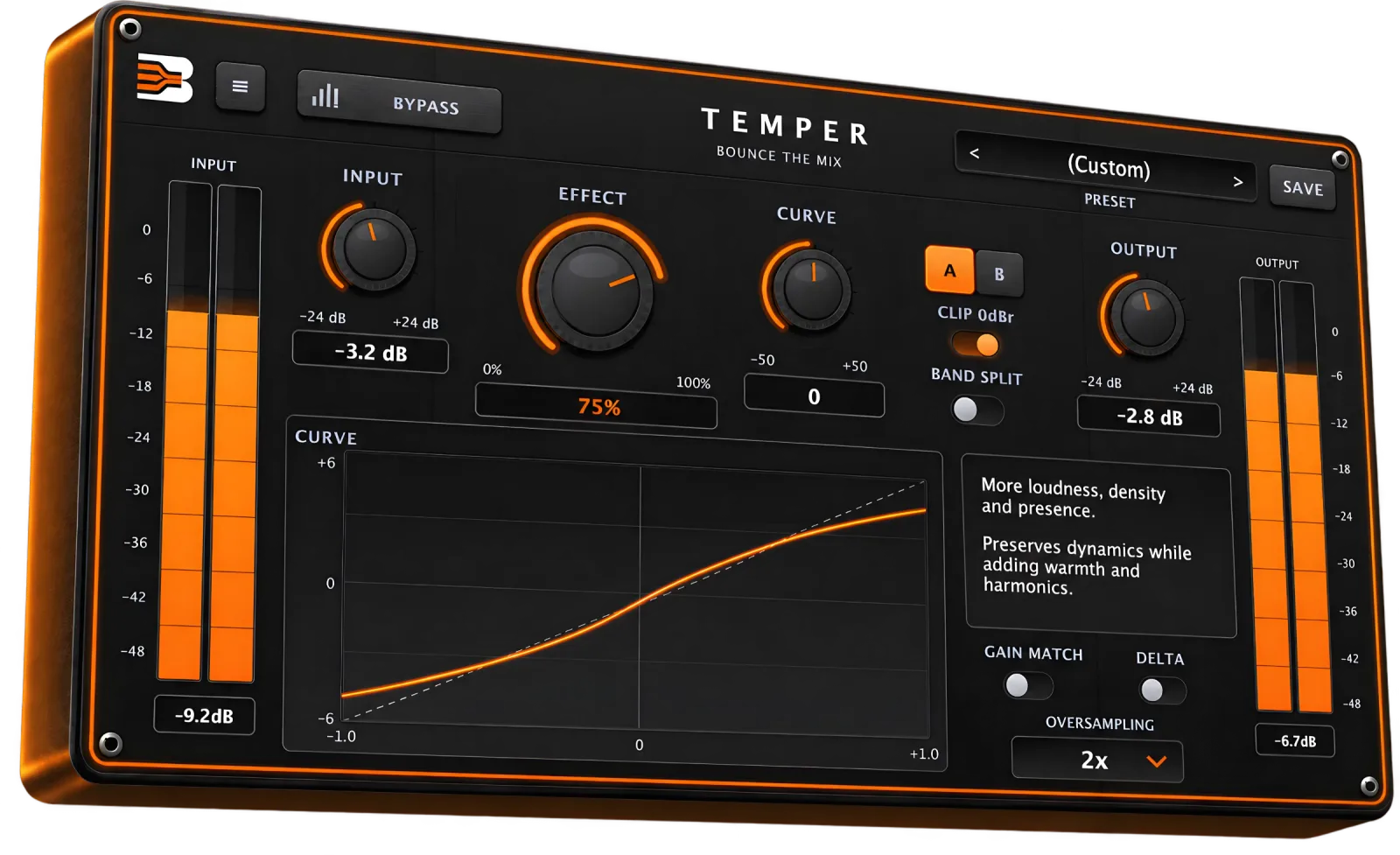
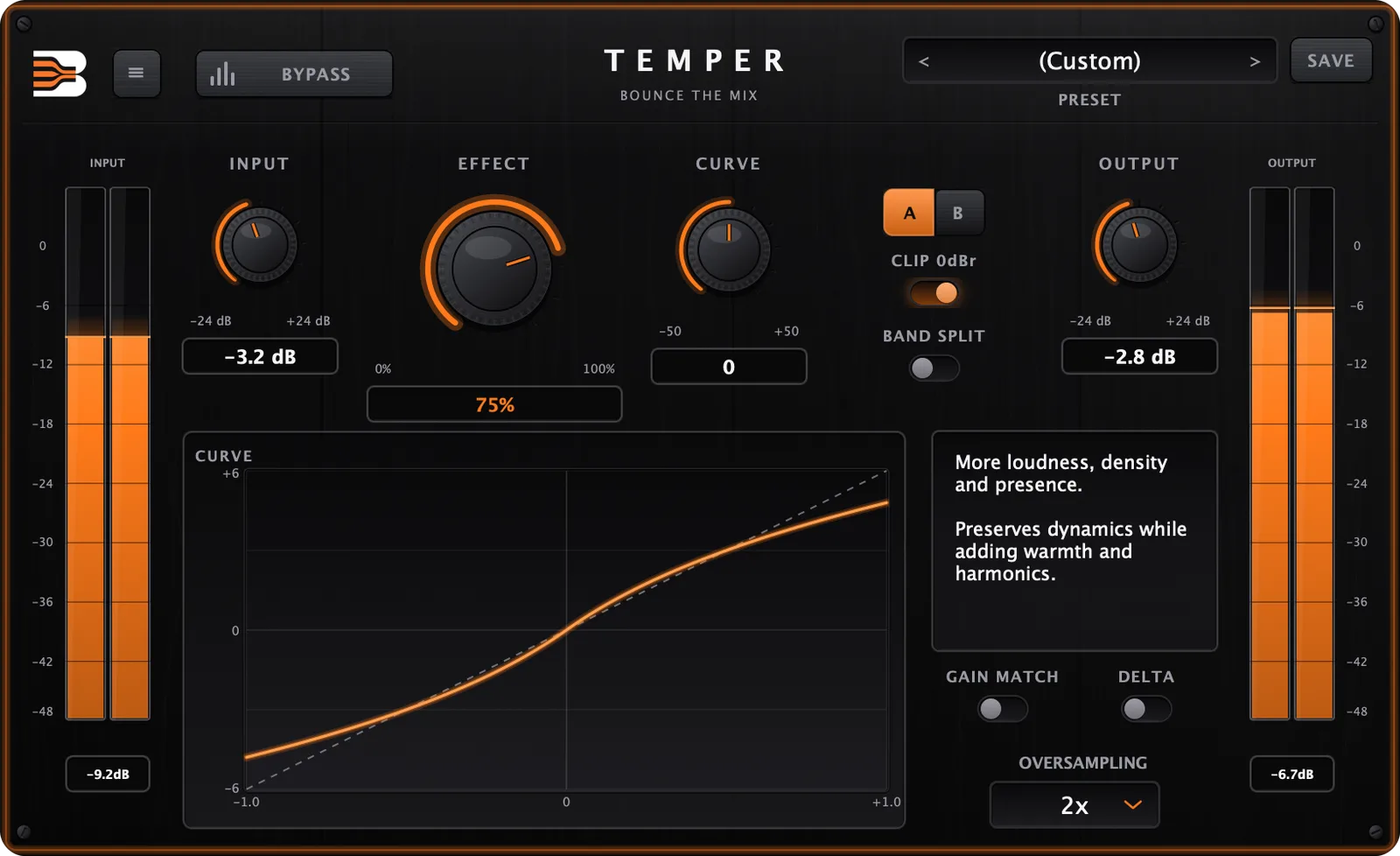
Temper es un plugin para saturación y amplificación de volumen para mezclar y masterizar. Añade densidad, calidez y presencia, y eleva el volumen percibido mientras preserva tu dinámica. Ajusta cuánto con Effect, elige el personaje con Curve (desde un color armónico sutil hasta una densidad agresiva y gorda), trabaja toda la señal o divídela en tres bandas, y usa sobremuestreo hasta 16x para mantener el aliasing bajo control. Delta solo te permite escuchar lo que añade Temper, Gain Match mantiene las comparaciones de niveles honestas, y la comparación A/B con 11 presets de fábrica te lleva rápido.
Características
¿Qué lo hace diferente?
Effect sets how much of the processed signal you hear, from 0 to 100%. Curve sets its character: subtle and harmonic on the left, more loudness, density and presence in the middle, dense and aggressive on the right.
Direct or Band Split
Process the whole signal in Direct mode, or switch to Band Split to saturate three bands separately, with crossovers at 300 Hz and 3 kHz, for a tighter and more controlled result on full mixes.
Oversampling up to 16x
Choose 1x, 2x, 4x, 8x or 16x oversampling to keep aliasing under control on heavy settings. The latency it adds is reported to your DAW, so your tracks stay aligned.
Hear exactly what it does
Delta plays only what Temper adds. Gain Match compensates the level so you judge the sound, not the volume. A/B compare, Clip 0dBr and Bypass round out the workflow.
See what is happening
A live transfer-curve display shows the shape of the saturation as you move Effect and Curve, and input and output meters keep your levels in view.
Start from a preset
Eleven factory presets (Default, Subtle, Warm, Vocal, Drums, Bass, Mix Bus, Master, Aggressive, Overdrive, Extreme), and you can save your own.
Interfaz
Una única interfaz. Control total.
En el interior del motor
Módulos básicos
Saturation
The nonlinear stage that adds density and harmonics, shaped by Effect and Curve.
Band Split
Three bands with crossovers at 300 Hz and 3 kHz, each saturated separately.
Oversampling
1x to 16x, to keep aliasing under control on heavy settings.
Clip 0dBr
An optional ceiling that contains peaks at full scale.
Gain Match
Automatically trims the output so the processed and dry signal have similar loudness.
Delta
Listen to only what Temper is adding to the signal.
Casos de uso
Dónde encaja en tu flujo de trabajo
Mix bus
Glue and thicken a mix with a touch of density, without flattening the dynamics.
Drums
Add weight and punch to a drum bus, or push it harder for an aggressive sound.
Vocals
Bring a vocal forward with warmth and presence.
Bass
Firm up the low end, and use Band Split to keep the highs untouched.
Mastering
Gain a little loudness and warmth with the Master preset and Gain Match on.
Consigue Temper
Descarga inmediata. Licencia de por vida.
Complemento
€27
- Entrega digital instantánea tras la compra
- Pago seguro, pago único
- Actualizaciones gratuitas durante toda la vigencia de tu licencia
Demostración
Gratis
- Plugin completo desbloqueado
- Gratis durante los días 7
Índice
Qué hay dentro
VST3 + AU (macOS), VST3 (Windows)
Formats
Direct and 3-band Band Split
Modes
1x, 2x, 4x, 8x, 16x
Oversampling
11 factory + your own
Presets
Delta, Gain Match, A/B, Clip 0dBr
Tools
Opiniones
Aún no hay opiniones.
Preguntas
Which formats and systems does it support?+
macOS 11+ (Apple silicon and Intel): VST3 and Audio Unit. Windows 10+ (64-bit): VST3.
How many computers can I use it on?+
One licence can be activated on up to 3 devices at the same time. You can deactivate a device from the plugin to move your licence.
Is it a subscription?+
No. It is a one-time purchase with a perpetual licence.
Can I try it first?+
Yes. You can start a free trial from the product page (it needs an account).
Does it add latency?+
Oversampling adds a small amount of latency, which Temper reports to your DAW so plugin delay compensation keeps everything aligned.
How do I update?+
When a new version is available, the plugin tells you inside the interface. Download the new installer from your account: it replaces the old version automatically and keeps your presets and activation.
Compatibilidad
Requisitos del sistema
- Plugin formats
- VST3, Audio Unit (macOS)
- Operating system
- macOS 11+ (Apple silicon and Intel), Windows 10+ (64-bit)
- DAWs
- Any DAW that supports VST3 or Audio Unit
Descarga inmediata
Cada archivo pasa a ser tuyo en cuanto se haya procesado el pago.
Actualizaciones gratuitas de por vida
Un único pago: todas las actualizaciones futuras de este complemento están incluidas, mientras mantengas la licencia.
Pago seguro
El pago con tarjeta lo gestiona Stripe. Pago único, sin suscripción.