
Rift
Kick and bass, glued.
€49One-time payment
VST3, AU (macOS), Standalone · Instant download · 7-day free trial
Listen
Inside Rift
What goes in
Inside
Suppresses only the bass frequencies that clash with the kick, while the kick plays.
A long kick and a rolling bass that keep fighting: make room without losing the low end.
How it works
Every control, explained
Start with ALIGN
- 01
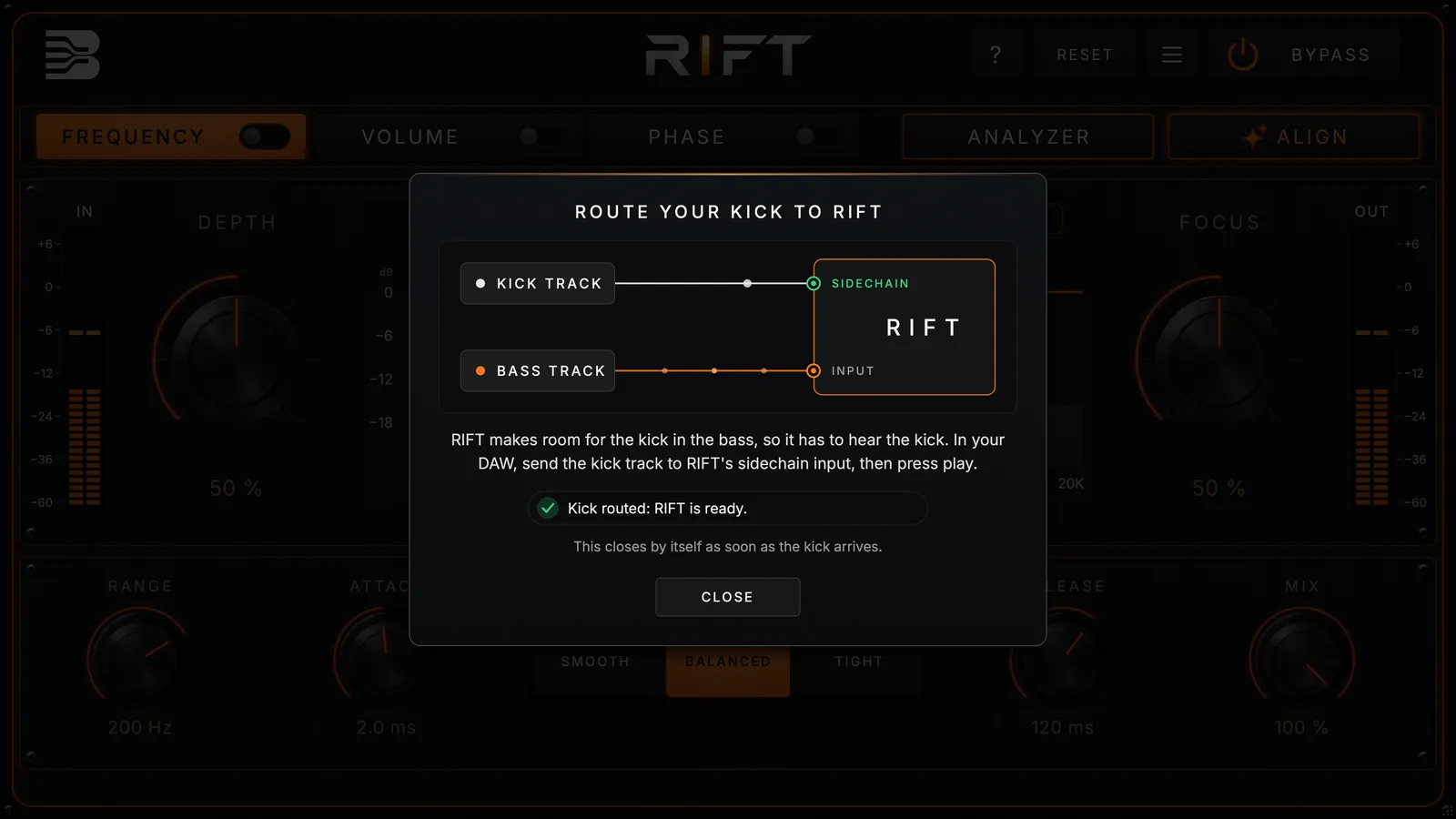
Send your kick
Put RIFT on the bass and send the kick to its sidechain. RIFT tells you when it hears it.
- 02
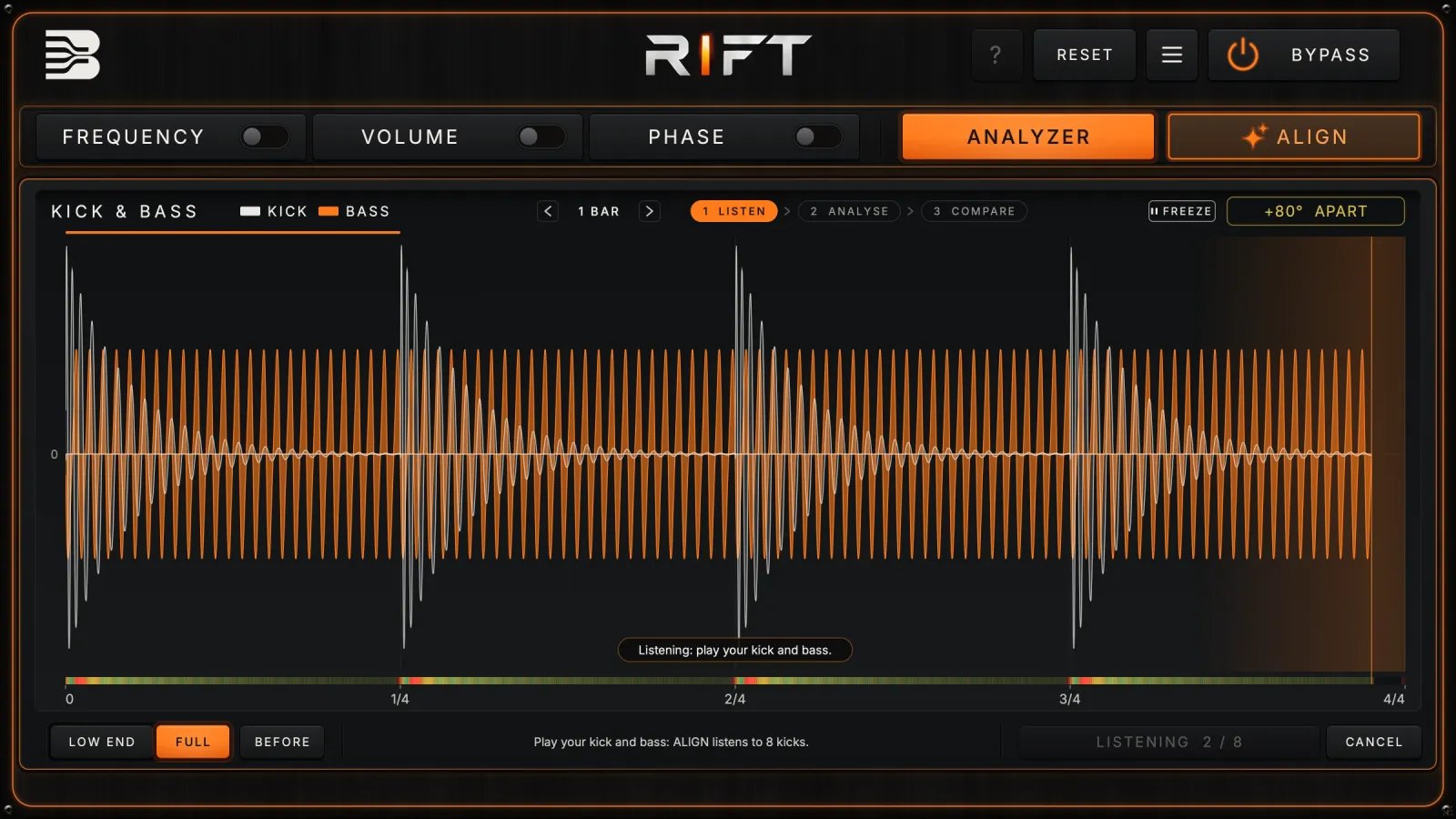
Press ALIGN
Play your track: RIFT listens to 8 kicks and sets all three stages.
- 03
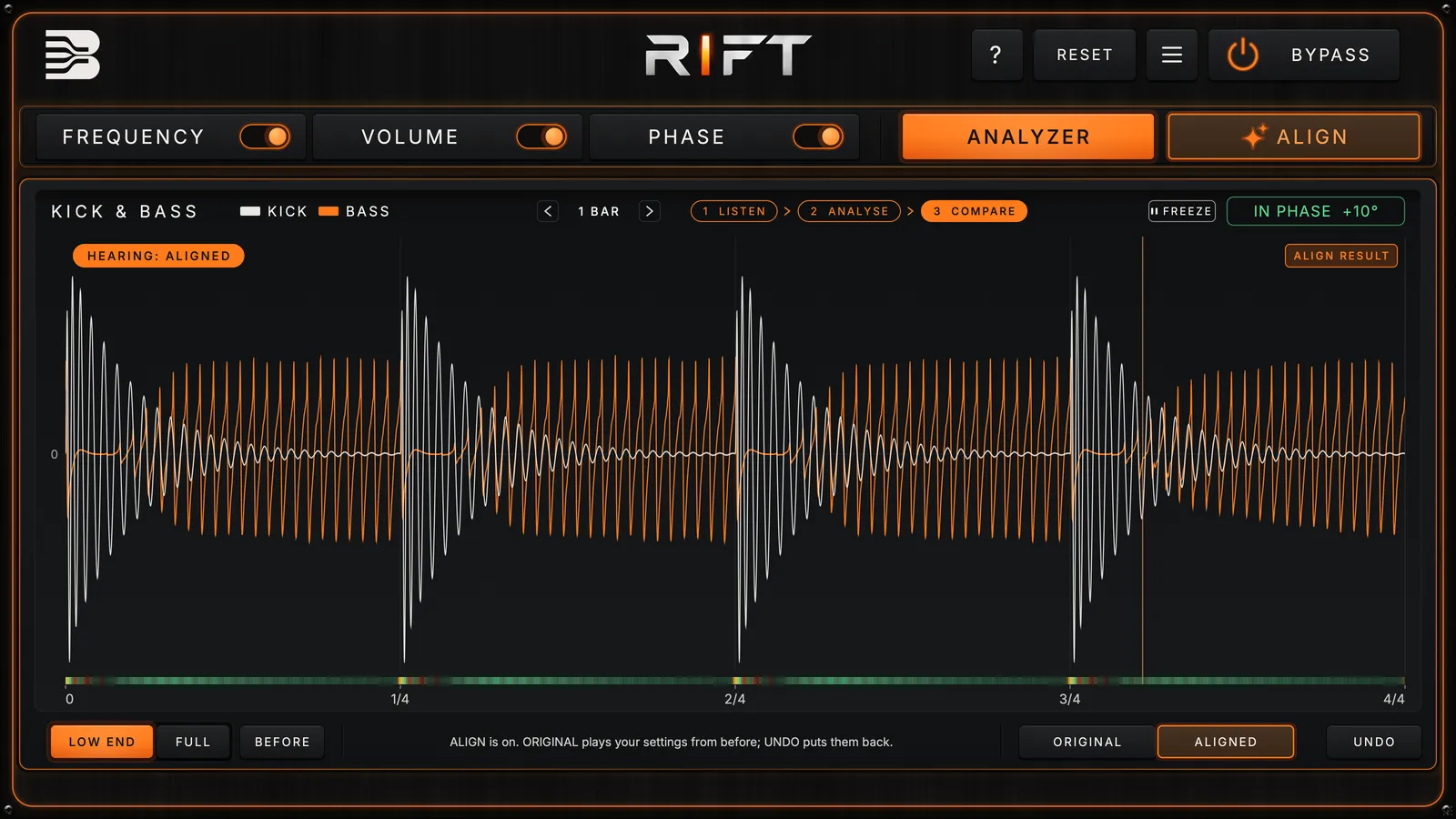
Compare
Switch between ORIGINAL and ALIGNED, keep it or UNDO it, then fine-tune any stage.


Frequency suppression
RIFT cuts only the bass frequencies that clash with the kick, and only while the kick plays.
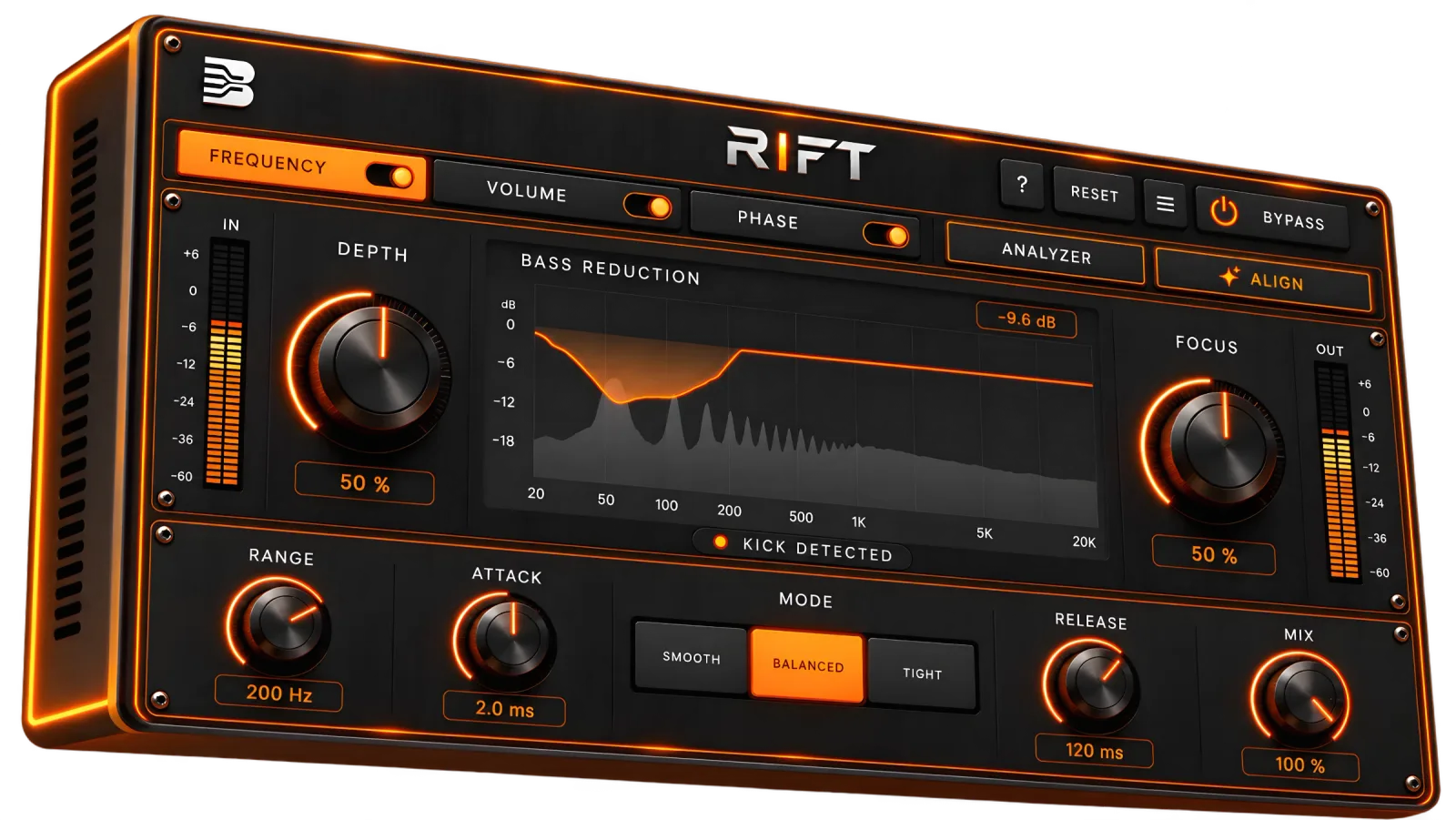
10 controls · tap a point to see what it does

- 01
FREQUENCY on / off
Each stage has its own switch; the tab only shows it.
- 02
DEPTH
How deep RIFT cuts the bass where the kick sits.
- 03
BASS REDUCTION
The real cut, live: where the bass makes room and by how much.
- 04
FOCUS
From a broad, smooth cut to a tight, surgical one.
- 05
RANGE
The highest frequency RIFT may cut.
- 06
ATTACK
How fast the space opens when the kick hits.
- 07
MODE
SMOOTH follows the kick's usual shape, TIGHT follows it moment by moment.
- 08
RELEASE
How fast the bass comes back after the kick.
- 09
MIX
From the dry bass to the full effect.
- 10
KICK DETECTED
Your kick reaches RIFT's sidechain: the light flashes on every hit.
- 01
Frequency suppression
RIFT pulls down only the bass frequencies that clash with your kick, only while the kick plays. The rest of the bass stays full. IMAGE: <url RIFT_FREQUENCY.png>
- 02
Volume ducking
The whole bass dips under each kick and comes back on a curve you can draw: set how deep, how long it holds and how it recovers. IMAGE: <url RIFT_VOLUME.png>
- 03
Phase alignment
RIFT turns the phase of the bass's low end to meet the kick, so the two add up instead of cancelling. The meter shows when they're in phase. IMAGE: <url RIFT_PHASE.png>
- 04
ALIGN does it for you
Press ALIGN while your track plays: RIFT listens to 8 kicks and sets all three stages. Compare it with the original, keep it or undo it. IMAGE: <url RIFT_ANALYZER_ALIGN.png>
Get it
Get Rift
- 0
- Stages
- ALIGN
- Auto setup
- VST3, AU, Standalone
- Formats
- macOS, Windows
- Platforms
Plugin
€49
One-time payment
- Use it on up to 3 computers
- Free updates within the same version (e.g. 1.x)
- Instant digital delivery after purchase
- Secure checkout
Demo
Free
Free for 7 days
- Full plugin unlocked
- No card needed
System requirements
- Plugin Formats
- VST3, AU (macOS), Standalone
- Operating System
- macOS 11 or later, Windows 10 or later (64-bit)
- Processor
- Apple Silicon or Intel (Mac), x64 (Windows)
- Requirements
- A DAW with sidechain input
- Tested in
- Ableton Live
Reviews
No reviews yet.
Before you buy
Questions
Full description
Kick and bass glue for your bass track. Send your kick to RIFT's sidechain and it makes room for it: FREQUENCY: suppresses only the bass frequencies that clash with the kick, while the kick plays. VOLUME: ducks the whole bass under each kick, on a curve you can shape. PHASE: aligns the bass's low end in phase with the kick, for a tighter, fuller low end. Press ALIGN and RIFT sets all three for you. VST3, AU and Standalone (macOS); VST3 and Standalone (Windows).
More plugins